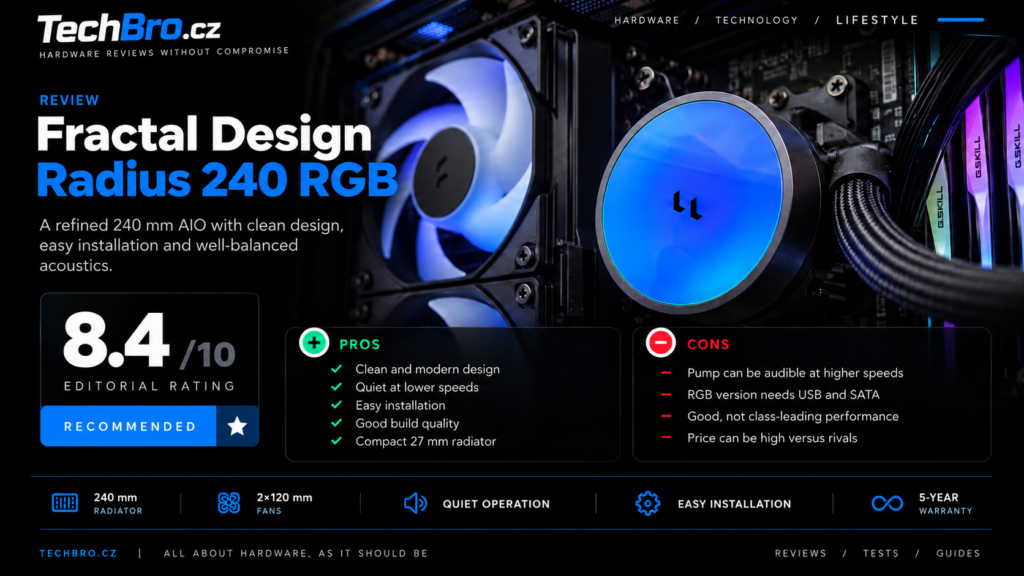
Fractal Design Radius 240 RGB: Proper Setup Matters More Than Maximum Performance
With liquid cooling, I am not interested only in the temperature achieved with the fans and pump running at full speed. More important is how much performance remains after they are quieted down and how much needs to be configured so that the cooler does not become unnecessarily distracting during everyday use. This is where the Radius 240 RGB has interesting potential. Fractal combines pre-installed fans, partially hidden cable routing and a controllable pump with integrated Adjust Pro control. At the same time, the whole package retains conventional radiator dimensions and does not add a display or other similar extras. (Fractal Design)
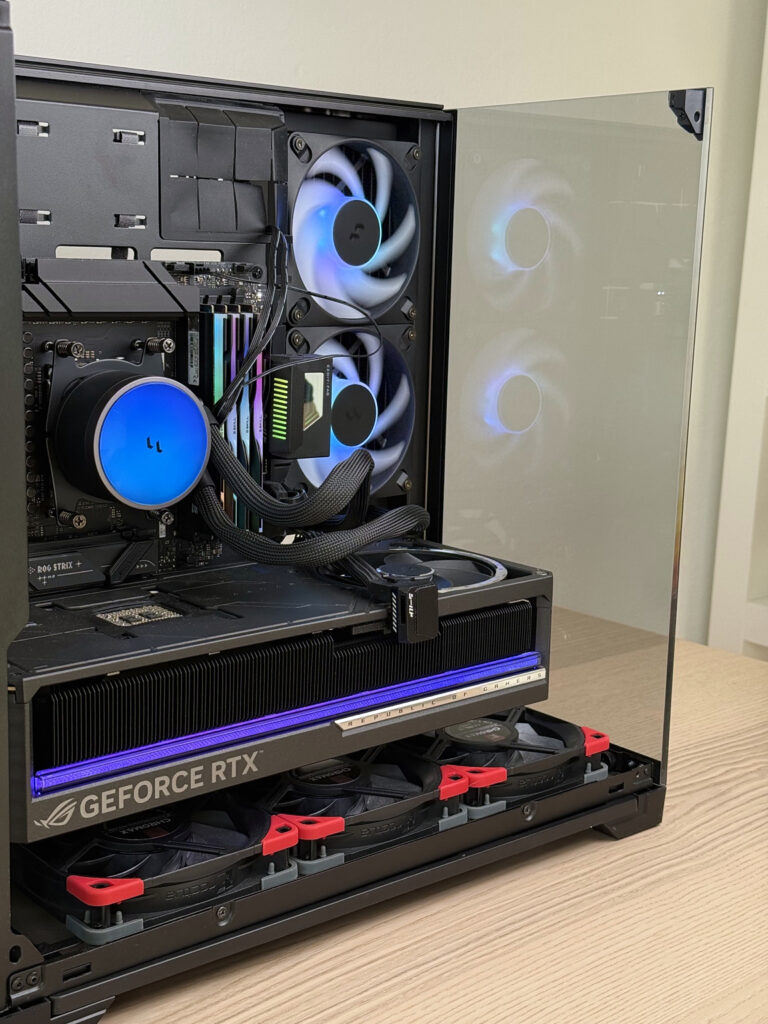
I like this approach. In a well-designed AIO, I primarily value easy installation, predictable control and the ability to set up quiet operation. The feature set is supposed to support these qualities. With the Radius, the concept itself largely succeeds in doing so, although its electronics also introduce a few peculiarities that are worth understanding.
More than the appearance has changed since the Lumen
I definitely would not consider the Radius to be merely a renamed Lumen. The fundamental difference is the location of the pump. The Lumen had it in the radiator, while the Radius uses a layout with the pump directly in the CPU block. It adds PWM control, replaces the Aspect fans with the new Dynamic 3 series and, in the RGB version, also changes the way the entire assembly is powered and controlled. These are substantial design changes, not merely a new cover.
Moving the pump alone, however, tells us nothing about how much more powerful or quieter the cooler will be. It changes the path through which vibrations are transferred as well as the position of the noise source, but the final behaviour still depends on the specific motor, hydraulics and control system. The external layout cannot reveal the efficiency of the internal channels or the quality of contact with the heat source.
When comparing it with the older Celsius and Celsius+ models, it is also worth keeping expectations in check. Fractal had already used hidden wiring beneath the tubing sleeves, a hub on the radiator and switching between automatic and PWM control. The Radius brings some familiar ideas into a new form and complements them with web-based configuration. I would call it a modernisation without hesitation, but not yet a technological revolution. (Fractal Design)
The new series also covers only 240 and 360 mm sizes. Both are available in black with or without lighting, while the white version is reserved for the larger RGB model. The absence of a 280mm variant is somewhat disappointing, because in cases designed specifically for two 140mm fans, neither of the available sizes may make ideal use of the available space.
A standard-thickness radiator has its advantages
The Radius 240 RGB radiator measures 277 × 120 × 27 mm. I consider the last dimension to be one of its practical advantages. The Arctic Liquid Freezer III Pro uses a 38mm radiator, meaning that the radiator alone requires eleven millimetres more space. With top mounting, such a difference can determine whether the cooler collides with the memory, power connector or VRM heatsink. Fractal partly avoids these complications by using more conservative dimensions.
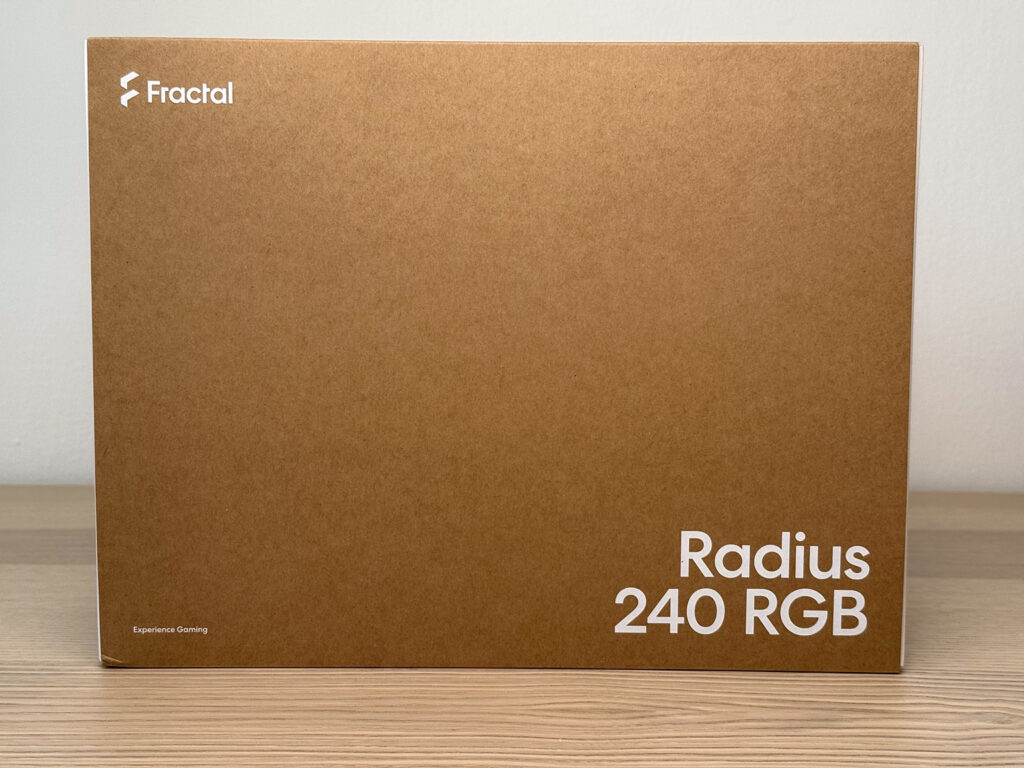
That obviously does not mean that the Radius will fit into every case labelled as supporting a “240mm radiator”. The fans must be added to the radiator thickness and the position of the mounting holes also has to be taken into account. I see the advantage in its lower space requirements compared with thicker designs, not in any kind of universal compatibility.
Likewise, I would not infer performance from thickness alone. A thicker radiator can provide a larger heat-exchange area, but it also requires sufficient airflow. The result depends on the entire system, including the fans. Concluding that the thinner Fractal must automatically be a worse cooler would be just as simplistic as claiming that a few extra millimetres on a competing model make no difference.
The block is connected by 400mm braided EPDM tubes. On the block side, rotating fittings provide more flexibility when routing the tubes around memory modules and motherboard heatsinks. The block, including the fittings, measures 83 × 71 × 59 mm. In a tight build, therefore, it is not enough to consider only its height; the fittings and the beginning of the tubes also require space.


The rotatable top cover is a small detail that I consider more useful than many flashier extras. The logo can be aligned independently of the block orientation, so the tubes do not have to be routed in an inconvenient direction purely for aesthetic reasons. Decisions like this make building easier without adding more controls or cables. (Fractal Design)
The copper cold plate is not the whole answer
The contact plate uses C1100 copper with a specified copper content of more than 99.9%. The material is therefore specified quite precisely. We know considerably less about what is located above the contact surface. The available documentation does not describe the dimensions or arrangement of the active microchannel area, nor does it identify the specific OEM pump platform.
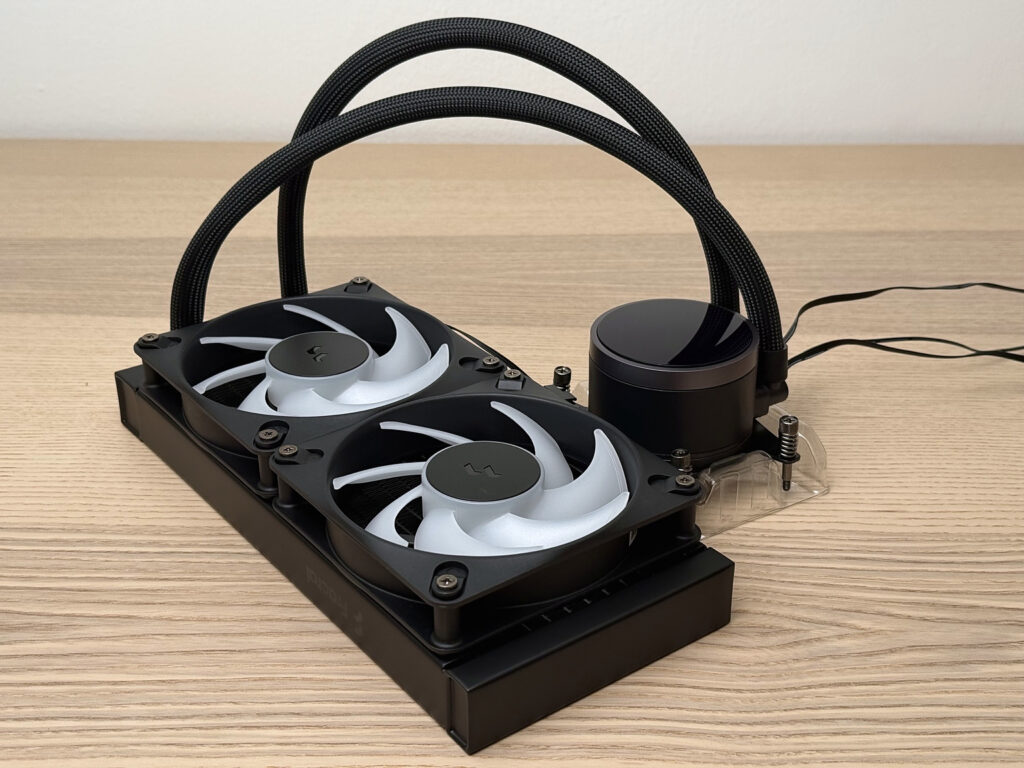
I therefore consider it premature to attribute optimisation for a particular chiplet layout to the Radius or to identify its supplier based on appearance. Likewise, above-average thermal performance cannot be inferred from copper purity. It also depends on the thickness of the cold plate, the geometry of the channels and the mounting pressure on the processor. An exact material specification is useful, but it cannot replace knowledge of the internal design or actual measurements.
Fractal also retains the combination of a copper cold plate and an aluminium radiator. Compared with the Lumen, this is therefore not a move into a different material category. The important changes have to be found elsewhere, primarily in the pump, fans and the way they are controlled. (Fractal Design)
The Dynamic 3 fans are most interesting at the low end
The pair of Dynamic 3 – 12 RGB fans operates at approximately 350 to 2,200 rpm. Compared with the Aspect 12 RGB PWM fans used on the Lumen, which had a range of 500 to 2,000 rpm, there is therefore some additional headroom at both ends. For everyday use, I find the lower minimum more interesting. It allows the fans to remain running under light loads without having to spin unnecessarily fast. (Fractal Design)

Fractal specifies a maximum airflow of 63.9 CFM and a static pressure of 2.82 mmH₂O. These are, however, two different endpoints of the fan curve. The first is measured without restriction, the second at zero airflow. For radiator operation, the area between these two extremes is what matters. Two impressive numbers in a specification table therefore do not tell us how much air the fan will actually push through a particular radiator or how much noise it will produce while doing so.
The Dynamic 3 uses seven blades and rifle bearings. I would not place too much importance on the bearing designation itself. Smooth operation at low speeds and the absence of distracting motor noises matter more to me. The first direct test of the 240 RGB was positive in this respect: the fans were very quiet at their minimum speed and the reviewer did not detect bearing noise. That is good news for the particular sample, but not a guarantee that every unit will behave identically. (Fractal Design)
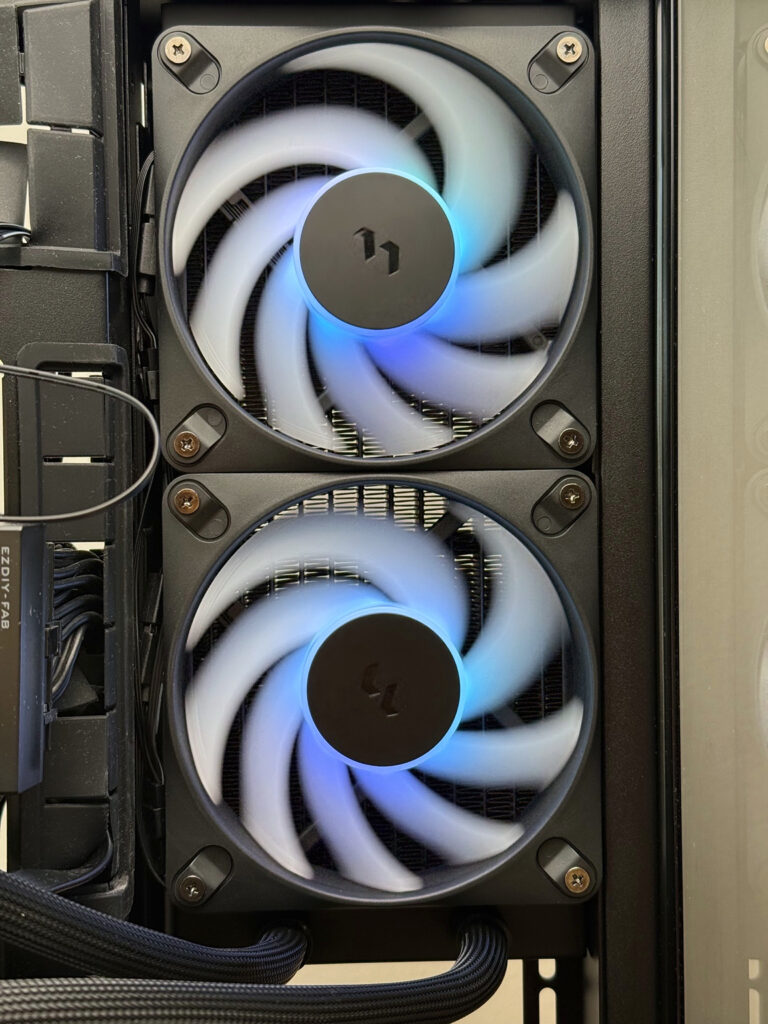
I am more cautious when assessing the appearance of the illuminated fans. Eight LEDs are positioned in the hub, and one test criticised the more noticeable individual points of light and the brighter centre compared with the blades. The lighting on the pump cover appeared more uniform. This may not be a problem for those who want prominent RGB lighting, but I would not expect the fans to produce a perfectly continuous illuminated surface. (Fractal Design)
Installation without unnecessary fiddling
The Radius comes with the fans already installed and thermal paste pre-applied. The mounting bracket for AMD AM4 and AM5 is also prepared. For Intel, the included hardware supports LGA 115x, 1200, 1700 and 1851. Fractal therefore reduces the amount of work required before the cooler itself can be installed, which is particularly convenient when fitting it into a partially assembled PC. (Fractal Design Support)

The mounting brackets use captive spring-loaded screws. AMD uses the motherboard’s original backplate, while Intel has its own backplate included in the package. From a practical standpoint, this approach makes sense because it avoids having to handle several loose washers and nuts around the socket.
I am less impressed with the accessories once the first installation is complete. There is no spare thermal paste in the package. I consider the pre-applied layer an advantage, but a small additional tube would be useful when rebuilding the PC or correcting an unsuccessful installation. For a product intended to last several years, it seems like a more useful addition than most decorative accessories.
Hidden cabling does not mean a single cable
The wiring between the fans and the block is hidden alongside the tubing, and the fans are interconnected from the factory. There is therefore no need to create a separate cable bundle around the radiator or work out where to hide excess cable length. The RGB version nevertheless requires three system connections: SATA power, an internal USB 2.0 header and a PWM cable to the motherboard.
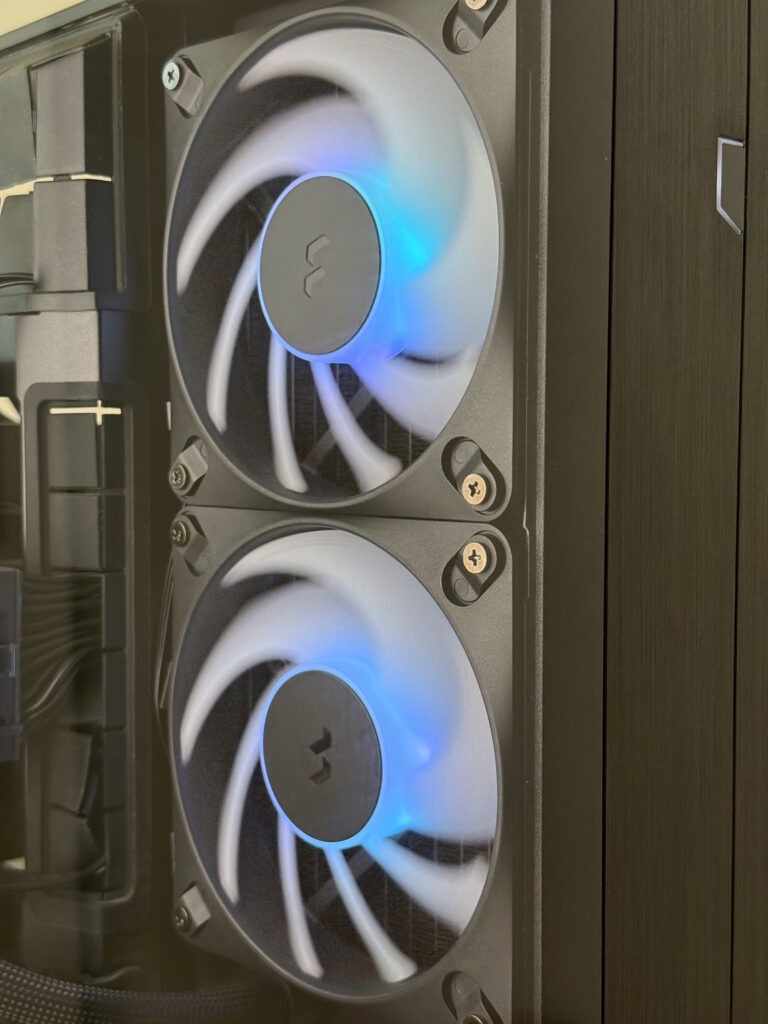
I therefore see the main benefit in cable organisation. The overall amount of cabling has not disappeared; some of it has simply been moved to a less visible location. A bundle still exits the block and needs to be routed sensibly. In some cases, a nearby cable-routing opening will hide it, while in others a significant portion may remain visible through the side panel.
Among the practical dimensions, the 300mm PWM cable is worth noting. The SATA cable is 450 mm long and the USB cable 600 mm, so the PWM connection offers the least spare length. For a direct connection to a header near the socket, this may not be an issue. When routing it behind the motherboard tray, however, a few extra centimetres could be missed.
The non-RGB Radius uses a different connection scheme. It has separate PWM connections for the pump and fans, without SATA power or USB. The RGB variant therefore is not simply the same cooler with LEDs added. The choice between them also means choosing a different method of control. For someone who wants to configure everything in the BIOS and then forget about it, the basic model may actually be more appealing because of its simplicity. (Fractal Design Support)
Adjust Pro makes sense once you know what it controls
What I appreciate about Adjust Pro is the ability to configure it in a browser without installing a large resident software package. The settings are stored on the device, so the web interface does not have to remain open during normal operation. Firmware updates are also handled through it. A Chromium-based browser is supported, while Linux may require permission adjustments to allow access to the device.
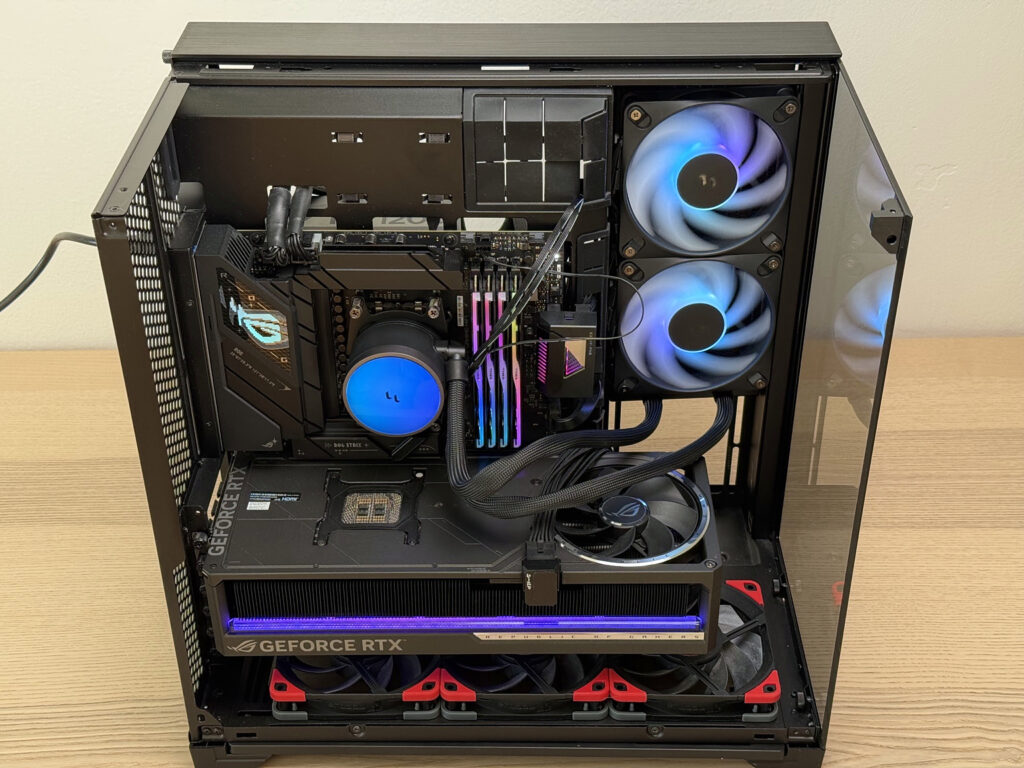
The important point is that Adjust Pro does not replace the motherboard’s entire temperature control system. The motherboard still generates the PWM signal according to the configured temperature curve. The Radius electronics then process this signal and allow a different response to be set for the pump and fans. A single input can therefore control two different response curves. For this reason, Fractal recommends starting with a linear curve on the motherboard. (Fractal Design Support)
The practical benefit is obvious. The pump can remain in a calmer operating mode while the fans ramp up more aggressively with increasing load. The two components do not have to respond in the same way merely because they receive the same input signal.
At the same time, this creates two layers of configuration. If the BIOS curve rises very steeply and similarly aggressive mapping is then applied afterwards, the cooler can respond much more sharply than the user intended. I consider a simple input curve from the motherboard combined with fine-tuning in a single additional location to be the most sensible approach. Otherwise, it can quickly become difficult to determine which layer caused a particular change.
During the initial setup, I would select PWM mode directly rather than relying on automatic detection. In one test of the 360 RGB, the motherboard detected the connection as DC and the fans did not respond correctly. The reason is related to SATA power: the motherboard connector is used for control and RPM reporting rather than normal motor power. Changing the voltage on an unused power pin therefore cannot substitute for a PWM signal. Once the mode was manually switched, control worked correctly.
I do not consider this a major design failure. It is, however, a detail that should be made impossible to overlook in the manual. A cooler presented as easy to use should not unnecessarily leave the user searching for the reason why its control curve is being ignored.
In the standard configuration, the lighting is managed through the integrated controller rather than a separate ARGB input on the motherboard. Anyone who wants to synchronise the entire PC through a single conventional ARGB connection should keep this in mind. The standard connectors on the individual fans are not the same thing as having an accessible synchronisation input on the assembled AIO.
I would not judge the pump only at 100 percent
The pump uses a ceramic bearing and has a specified maximum speed of 3,400 rpm with a ten-percent tolerance. This describes its highest speed, not a recommendation that it should run there continuously. On the Radius 240 RGB, the pump speed can be controlled using PWM.
I routinely slow down the pump on AIO coolers myself. With other coolers, I sometimes use settings around 40% if their control range allows it and the temperatures do not deteriorate substantially. I see no reason to listen to a motor running at full speed for the sake of a thermal difference that is insignificant during normal use.
That forty percent is not a universal recipe, however. A percentage of the control signal does not mean the same percentage of maximum RPM, let alone a precisely corresponding flow rate. With the Radius, the Adjust Pro configuration further affects this relationship. What matters is the actual pump speed, its sound and the resulting temperatures, not a number copied from another cooler.
A direct test of the 240 RGB showed approximately 1,900 to 3,340 rpm. More substantial reductions in pump speed cost around two to three degrees in some individual tests. In another mode from the same review, increasing the pump to maximum while leaving the fans unchanged improved the temperature by only around half a degree. These are results from one particular sample and test system, but they provide a useful direction when tuning the cooler.
A recurring acoustic criticism is an audible pump tone once the main fans become quiet. Low overall noise and an unpleasantly noticeable sound are not mutually exclusive. A narrow tonal noise can be more distracting in a quiet room than the even broadband noise of fans.
For this reason, I would not automatically list pump noise at maximum speed as a major disadvantage. I would consider it a genuine problem if the pump remained distracting even at its lowest usable speed, or if reducing its speed significantly worsened cooling performance. If a quiet operating mode can be found with only a small thermal penalty, the high maximum speed is primarily additional headroom.
Performance does not yet point to a clear winner
The available direct tests of the 240 RGB support the impression of a capable mainstream cooler rather than a new benchmark for the category. That in itself is not a disappointment. What matters is the result it achieves at an acceptable noise level and how much the customer has to pay for it.
For the larger Radius 360, substantially different assessments already exist. In one Intel-based test, the RGB version performed very well even at normalised noise levels, while another test of the non-RGB 360mm model produced considerably less convincing results on AMD. These results cannot be converted into a universal ranking for the entire series, let alone presented as the performance of the 240 RGB. The processors, mounting conditions and competing coolers all differ.
An interesting detail is the repeated mounting carried out in one direct test of the 240 RGB. After reinstalling the cooler with different thermal paste, temperatures improved, but it was impossible to determine which of those two changes was responsible. This is not evidence of poor factory-applied thermal paste. It is a reason not to draw a definitive conclusion from a single installation.
Contact with the heat source can be just as important as the radiator when comparing modern processors. Good results on one platform do not prove optimisation for every processor from the same manufacturer. Without a direct comparison, I therefore would not assign the Radius a universal wattage limit or describe it as “better for Intel”.
The competition is not limited to Arctic
The Liquid Freezer III Pro is an important competitor to the Radius primarily because of its different design approach. It offers a thicker radiator and a six-year warranty, but requires more space. Anyone with plenty of room inside the case and a strong focus on thermal performance has a good reason to include it in their shortlist. In a tighter build, the smaller dimensions of the Fractal carry more weight.

There is no reason, however, to pretend that the only alternative to the Radius is the considerably thicker Arctic. The be quiet! Pure Loop 3 LX 240, for example, uses a radiator with the same length, width and thickness while also supporting coolant refilling. On the other hand, its warranty is three years. It is a closer mechanical competitor and at the same time a good example of how the same format can offer different practical advantages.
The Corsair Nautilus 240 RS ARGB demonstrates a simpler approach to connecting an illuminated AIO. It connects directly to the motherboard without an additional controller. For users who already have fan control and lighting handled by the motherboard, this approach may be more attractive than adding another USB device. (CORSAIR)
I therefore see Adjust Pro as a specific control approach that may suit some users, rather than an automatic advantage over every conventionally connected cooler. Its value increases for someone who wants to configure the Radius independently and then leave the stored settings to operate on their own. It will offer less benefit to someone who prefers a single unified control system for the entire PC.
The warranty is more concrete than lifespan claims
Fractal provides a five-year warranty. At the same time, it specifies an MTTF of 40,000 hours at 40 °C for the pump. I would not put these figures in opposition to each other. MTTF is not a timer after which the pump is expected to stop working, and a warranty is not an estimate of the average time to failure. For the owner, the five-year coverage is a concrete condition; the long-term quality of the design will only become clear with time.
The historical experience with the Lumen nevertheless explains why some customers may remain cautious. On certain units, Fractal addressed manufacturing residue and its subsequent reaction with the coolant, which created sediment that restricted flow through the cold plate. This was a specific problem that should not be simplified into a general claim about “bad pumps”. (Fractal Design)
Likewise, there is no evidence that this fault carries over to the Radius. A new design by itself, however, does not guarantee that a different problem cannot emerge. Shortly after launch, there simply has not been enough time to assess reliability over several years. In this respect, it is sensible to stick to the warranty terms and avoid getting ahead of long-term experience that could not yet have been accumulated. (Fractal Design)
When the Radius 240 RGB makes sense to me
At a price around the recommended €90, the Radius 240 RGB strikes me as a well-rounded offering. It has a useful feature set, a five-year warranty and dimensions that do not unnecessarily complicate installation. For a build where the cooler should look good and, once configured, operate without a permanently running application, its concept is convincing. At €110 to €120, I would be more demanding and think harder about how much value I personally place on Fractal’s design and Adjust Pro.

The smaller Radius may also face its strongest competitor from within the same product family. The recommended price difference between the 240 RGB and 360 RGB is only ten euros. If the case can comfortably accommodate the longer radiator, the savings are not a particularly strong argument for the smaller variant. With the 240mm model, the deciding factors are therefore mainly the available space and the intended layout of the build.
I consider the Radius’s main strength to be the well-thought-out package rather than any single exceptional specification. Fractal has simplified mechanical installation, provided a wide fan speed range and made it possible to adjust the behaviour of the pump. The electronic configuration requires a little attention, but it gives the user enough flexibility to eliminate unnecessary noise. I would judge the cooler primarily by how it performs in such a tuned operating mode. Maximum speeds should demonstrate its available headroom, not determine how we have to listen to it every day.